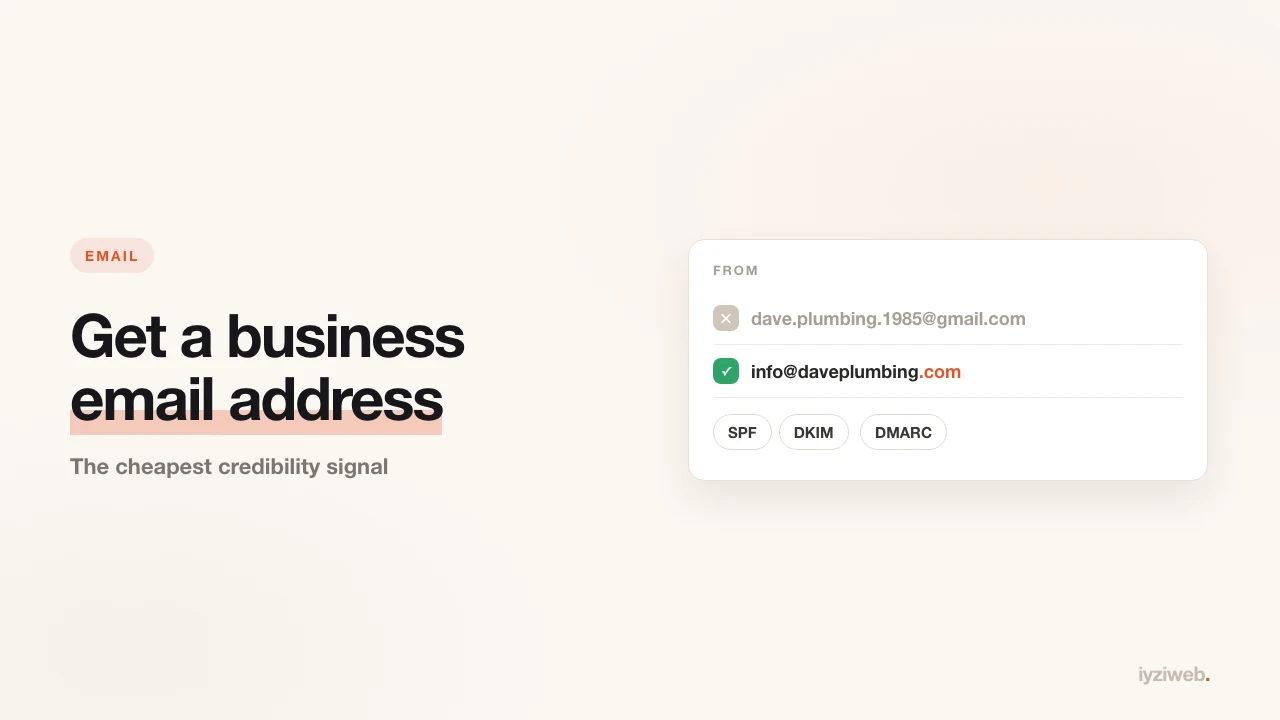
You send a quote to a company. Your email address is
daveplumbing1985@hotmail.com. Before reading a word of the quote, the reader
has already decided something: how established is this business?
It feels unfair, but it is real. Especially if you sell to other businesses — contracts, tenders, wholesale, trade accounts — an email ending in your own domain is a trust signal that arrives before the business card.
Three things people mix up
| What it is | Example | |
|---|---|---|
| Domain name | Your address on the internet | daveplumbing.com |
| Website | The pages sitting at that address | what opens when you visit it |
| A mailbox ending in that address | info@daveplumbing.com |
Three separate things, but email requires a domain. Without one you cannot have
an address ending in info@. Domains run $10-20 a year; that is the only
unavoidable cost here.
Which name: info@, hello@, or your first name?
If you are a one-person business your own name reads warmer:
dave@daveplumbing.com. If you sell to companies, info@ or
hello@ feels safer, because it reads as writing to a business rather than a
person.
In practice the best answer is both: one personal, one general. Use the general one on the phone and on signage, the personal one in correspondence.
Avoid: numbered addresses like sales1@ or info2@; accented
characters (some servers reject them); and anything so long it is painful to read
aloud.
Route 1 — email that comes with your site
Wherever you register the domain, or wherever you build the site, a mailbox is often included. You can usually open a few addresses at no extra cost. For most small businesses that is enough.
Upside: no separate account, one place to manage. Downside: some providers cap the mailbox at 1-5 GB and the webmail interface can look dated.
Route 2 — Google Workspace or Microsoft 365
If you want Gmail or Outlook running on your own domain, you subscribe to one of these. There is a monthly fee per user (about the price of a lunch).
When it makes sense: more than one employee, a shared calendar and files, and clean syncing across phone and desktop. For a solo business it is usually overkill.
Route 3 — forwarding (the cheapest fix)
Without opening a new mailbox at all, you can have mail sent to
info@daveplumbing.com land in your existing Gmail. Most domain
providers offer this free.
But there is a mistake almost everyone makes here: forwarding incoming mail is not
enough, you also have to send as that address. Otherwise the customer writes to
info@daveplumbing.com and gets a reply from
daveplumbing1985@hotmail.com — and the credibility you just bought
evaporates.
In Gmail that is Settings, Accounts, Add another email address. Anyone setting up forwarding has to do this second step too.
Three records that keep you out of spam
Once you start sending from your own domain, a new problem shows up: your mail lands in the recipient's spam folder. The cause is almost always the same — three records missing from the domain's DNS settings.
- SPF — the list of who is allowed to send mail on behalf of this domain
- DKIM — a digital signature on outgoing mail proving it was not altered
- DMARC — the rule that says what to do when the first two do not match
Your email provider hands you these values; your job is adding the rows in the domain control panel. If that sounds technical, asking your registrar's support to "add the SPF, DKIM and DMARC records" is a completely standard request.
Without those three, a meaningful share of the quotes you send never arrive. You think you emailed them; they never saw it.
A five-minute check after setup
- Send a message from your personal address to the new one — does it arrive?
- Reply from the new address to your personal one — who does it say sent it?
- Add it to the mail app on your phone; do notifications come through?
- Send one to a friend and ask whether it landed in spam.
- Put the address on your Google Business Profile, your cards and your contact page.
Frequently asked
I have a domain but no website. Can I still get mail?
Yes. Email and websites work independently. But if you are paying for a domain, having a
page there makes sense — people who see the email address go and look, and an address
that does not open costs you the trust you gained.
How many addresses can I have?
It varies by provider; most packages include 5-10 mailboxes. A solo business rarely needs
more than two.
Should I close my old address?
No. The old one is registered everywhere; closing it means missing mail from your bank
and your accountant. Use the new one as your public face and keep the old one
personal.
How the address should sit on your contact page is covered in the contact section of how to write website copy.
In short
An email ending in your own domain is the cheapest credibility signal available, at around $15 a year. You can start with forwarding, but make sure outgoing mail shows your address and add the SPF, DKIM and DMARC records — skip either and the setup is only half done.
If the domain part is still unclear, custom domain or free subdomain explains the difference and when each is enough.