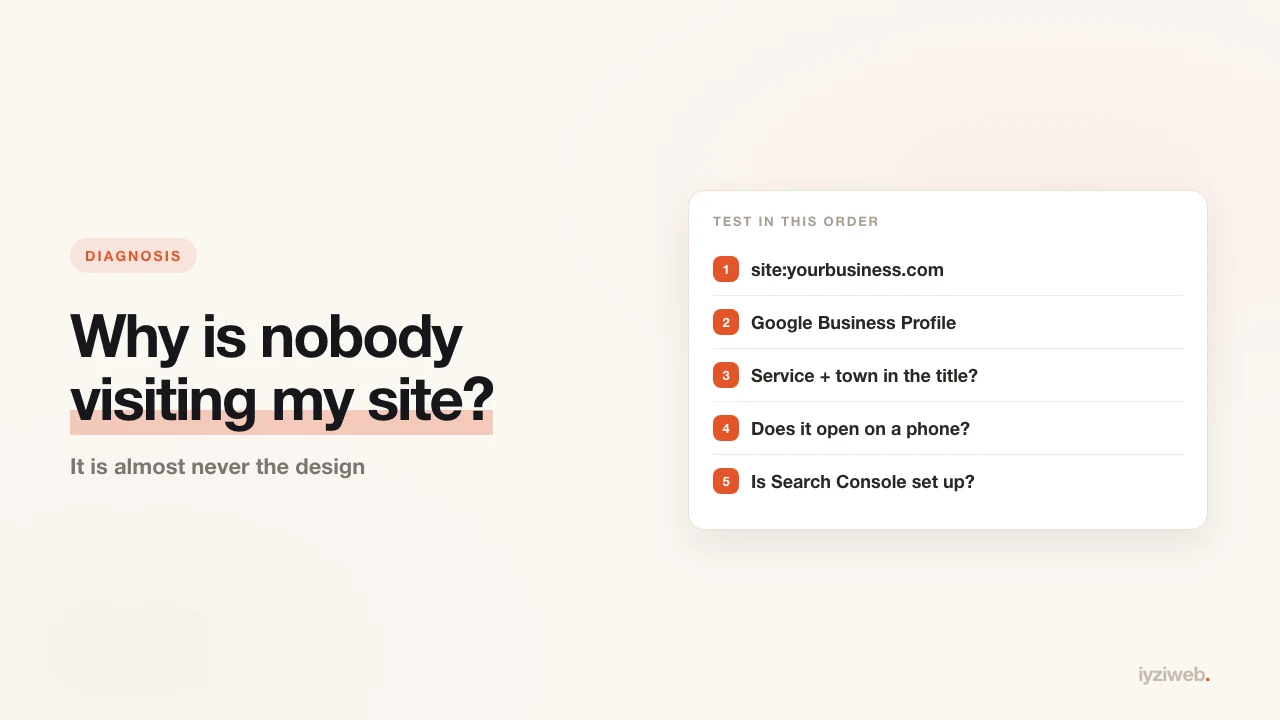
The site is built, the address has been shared, a few weeks have passed — no visitors. The most common decision at this point is the wrong one: rebuild the site. The problem is almost never the design.
It is usually one of three things: Google does not know your site, you are targeting the wrong words, or people cannot open the page. Work through the nine checks below in order; most cases resolve in the first three.
1. Does Google know your site? (a 30-second test)
Type this into Google:
site:yourbusiness.com
The number of results is how many pages Google knows about.
- No results: your site is not indexed. Fix that before looking at anything else.
- Only the homepage: the inner pages have not been crawled.
- Pages appear: indexing is fine, ranking is the issue — jump to point 3.
If nothing comes back, the job is to add the site to Google Search Console and submit the sitemap. A new site typically takes anywhere from a few days to a few weeks to appear; seeing nothing in week one is normal.
2. Do you have a Google Business Profile?
If you are a local business — salon, mechanic, clinic, cafe, estate agent — your first source of visitors is the map, not search results. Someone searching "barber near me" looks at map cards, not websites.
Without a business profile, how good your site is barely matters. Setup is covered step by step in adding your business to Google Maps.
3. Which words are you targeting?
The most frequent error: the site is written around the business name. But nobody searches your name — the people who do already know you.
People search for their need:
| What the site says | What people search |
|---|---|
| "Denton Automotive — quality and trust" | "auto electrician Brooklyn" |
| "Our Services" | "AC installation cost" |
| "About Us" | "teeth whitening near me" |
The rule is simple: what you do plus where you do it. If those two are not in the page title and the first paragraph, Google does not connect you to the search.
Word choice and how to write the copy are covered in detail in how to write website copy.
4. Does it actually open on a phone?
The large majority of visitors arrive on a phone. Open your own site on your own phone and check:
- Do you have to zoom to read the text?
- Does the page fit without scrolling sideways?
- Does tapping the phone number start a call?
- Does the menu button work?
If any of those stumble, the visitors you do get are already leaving. Google also pushes sites that break on mobile down the results — so you lose the ones who arrive and never gain new ones.
5. How long does it take to load?
Load time affects both visitors and ranking. Rough measure: on a phone, anything over three seconds is a loss.
The usual culprit is unprocessed photographs. A phone snapshot can be 4-6 MB; dropped onto a page as-is, it makes everything crawl. Details in why website speed matters.
6. How many pages does the site have?
A one-page site means one topic in Google's eyes. A site with a page per service gets a separate chance to appear for each of those services.
Five services work better as five pages than as five headings on one. Which pages are worth having is set out in what pages a business website needs. Blog posts on top of that catch the question-shaped searches — "why is my boiler not heating", "how far in advance should I book a wedding dress fitting".
7. Does anything link to your site?
The more places Google sees your site, the more seriously it takes it. Where your address should appear:
- Google Business Profile
- Instagram bio
- Your messaging or business chat profile
- Trade directories and association pages
- Your email signature
All free and done once. Ways of moving social traffic to the site are collected in a separate post.
8. When was the content last updated?
A site untouched for a year signals "not active any more" to both visitors and Google. If the price list is from last year, or the promotions section shows an expired offer, trust and ranking both slide.
A small monthly update is enough: a new photo, a fresh testimonial, a short post.
9. Are visitors arriving without you seeing them?
Sometimes there are visitors but no measurement. If nothing is connected to your site, "nobody comes" is a guess rather than a measurement.
Google Search Console is free and on its own tells you: which searches you appear in, how often, and how many people click. Look at impressions before visitor counts — impressions with no clicks is a click-through problem; no impressions is a ranking problem.
The order to work in
Do not try everything at once. The sequence:
- Check
site:yourbusiness.comto see whether Google knows you - Open a Google Business Profile if you do not have one
- Put service plus town in your page titles
- Open the site on your own phone and test it
- Set up Search Console and let two weeks of data accumulate
Those five steps resolve most "no traffic" cases. If they do not, you now have data, and you can choose the next step by measurement rather than guesswork.
Frequently asked
How long before a new site gets visitors?
For search traffic, typically a few weeks to a few months. But a Google Business Profile
and social links can bring traffic from day one — so open those channels instead of
waiting.
Can I get visitors without advertising?
Yes, just more slowly. For local businesses the map listing plus reviews usually arrive
before ads make sense. The review side is in
how to get more Google reviews.
Would rebuilding the site fix it?
If you rebuild without working through these nine points, you will most likely get the
same result — because the problem is usually not how it looks, it is how
findable it is.
In short
"No traffic" is an outcome, not a cause. The cause is nearly always one of three: Google does not know your site, the site targets the wrong words, or people cannot open the page. All three are independent of design, and all three are free to fix.